Local Listings Management Software: Best Tools for 2026
Local Listings Management Software: Best Tools for 2026 helps businesses keep names, addresses, phone numbers, hours, categories, and other location details consistent across search engines, maps, directories, and AI-driven discovery tools. This guide compares Synup, Yext, BrightLocal, Semrush Local, Uberall, and Birdeye on listing coverage, update controls, duplicate suppression, review features,
Snehil Srivastava

Local Listings Management Software: Best Tools for 2026 helps businesses keep names, addresses, phone numbers, hours, categories, and other location details consistent across search engines, maps, directories, and AI-driven discovery tools. This guide compares Synup, Yext, BrightLocal, Semrush Local, Uberall, and Birdeye on listing coverage, update controls, duplicate suppression, review features, reporting, and pricing. If you are comparing Local Listings Management Software: Best Tools for 2026, you will also learn which platforms are best for agencies, multi-location brands, small businesses, and teams that want broader local SEO tools before buying.
What Is Local Listings Management Software?
Local listings management software gives businesses one place to update location information and distribute those changes to search engines, maps, directories, social platforms, and other discovery services.
Without a central system, a change in store hours, phone number, address, website URL, or service category may need to be updated on dozens of sites. That becomes difficult once a company manages several branches or an agency manages many clients.
The better tools in 2026 do more than publish basic NAP data. They can detect duplicate profiles, monitor suggested edits, handle bulk changes, manage Google Business Profiles, report on listing accuracy, and connect listing work with reviews or local rank tracking. Some platforms also track how business information appears in AI-driven search. Best Local Listings Management Software for 2026: Quick Comparison
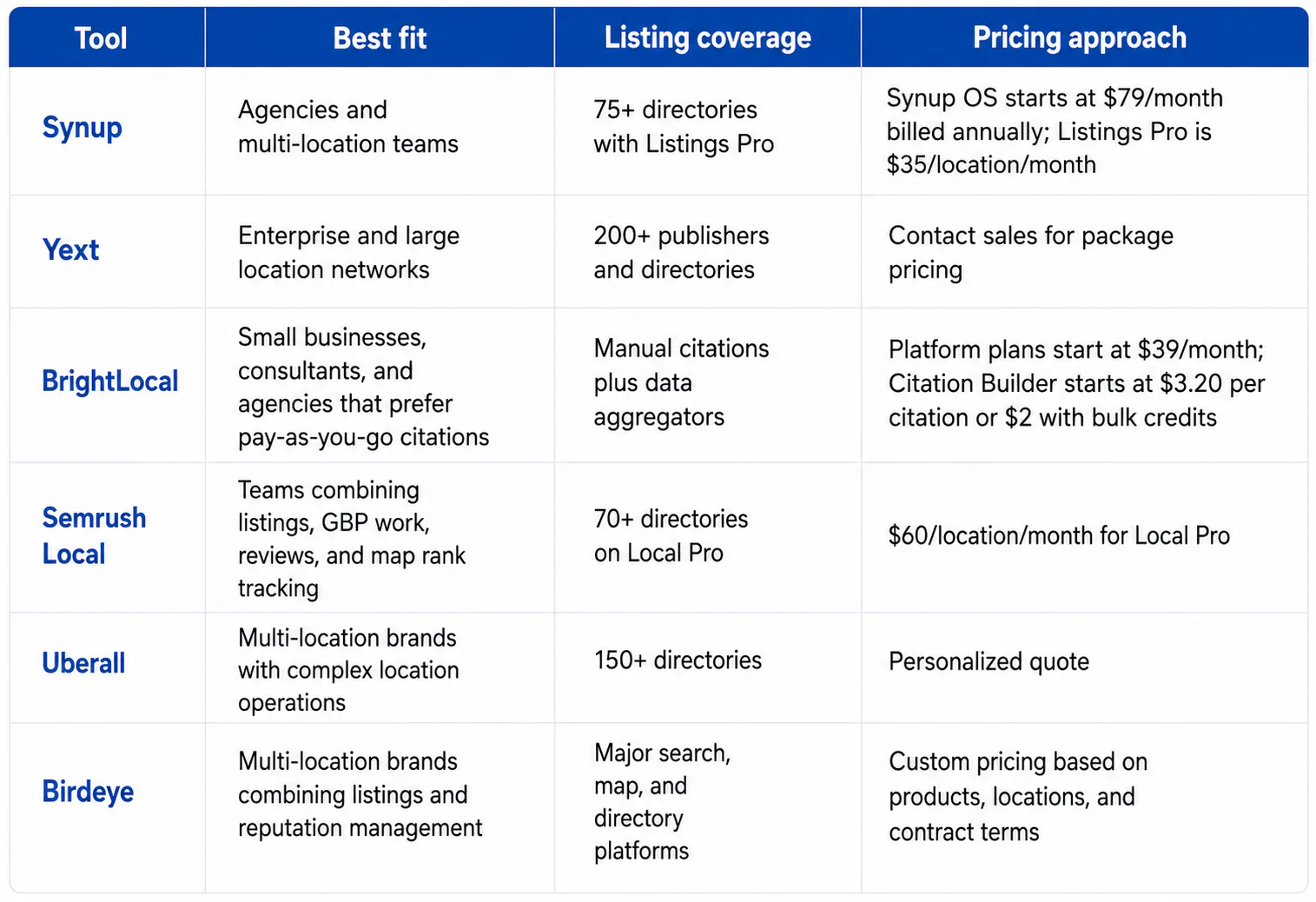
Pricing and product details were checked in August 2026. Vendors can change packages, limits, and directory coverage, so confirm the final quote before purchasing.
1. Synup
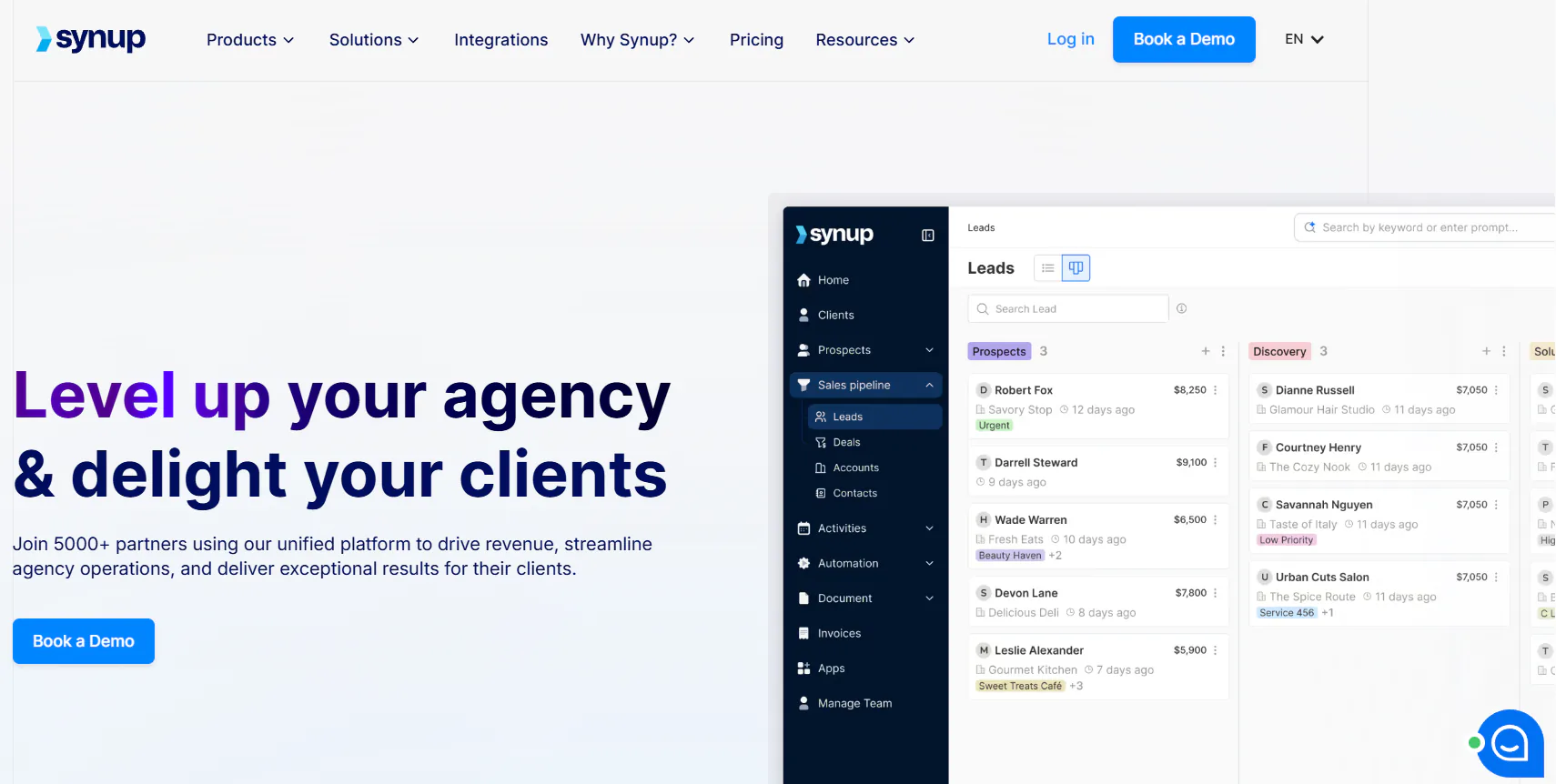
Synup is a strong choice for agencies and teams that manage many business locations from one account. Its agency plans combine listings and review management with client accounts, team access, reporting, white-label options, API access, and other agency operations. The Startup plan is listed at $79 per month when billed annually and includes listings management for up to 25 locations. Agency and Scale plans raise those limits to 100 and 500 locations.
For broader distribution, Synup offers Listings Pro as a $35-per-location monthly add-on. It covers 75+ directories and includes bulk listing edits, duplicate suppression, automated indexing, local posting, profile automations, search share-of-voice reporting, and monthly local keyword tracking.
Synup makes the most sense when listings are one part of a larger client service. Agencies can manage location data while also handling reviews and branded client access in the same system.
Best for: Agencies, resellers, and multi-location businesses that want listings plus client management and review tools.
2. Yext
Yext is built for businesses that need broad distribution and tight control over location data. Its Listings product publishes and manages business information across more than 200 online publishers and directories, including major search, map, social, and discovery platforms. Yext also structures listings data for AI-assisted search services.
The platform suits companies with many locations, detailed attributes, and frequent updates. A restaurant chain can manage holiday hours, menus, amenities, categories, and location-specific services without asking local staff to edit each publisher separately.
Yext does not present one standard public monthly rate for all listings customers. Businesses are directed to its sales team, with the sales form asking about location count and whether the buyer needs the service for their own business or for clients.
Best for: Enterprise brands and large location networks that place broad publisher coverage and structured location data ahead of low entry pricing.
3. BrightLocal
BrightLocal takes a different approach. Instead of requiring every listings customer to pay an ongoing fee simply to keep manual citations live, its Citation Builder lets businesses pay for individual submissions and updates. Standard manual citation work starts at $3.20 per site, while bulk credits can bring that price down to $2 per citation.
That model suits small businesses, consultants, and agencies that need citation cleanup without another recurring listing subscription. BrightLocal also supports submissions to data aggregator networks and offers separate local SEO tools for rank tracking, audits, and reporting. Its broader platform plans start at $39 per month, but Citation Builder can be used without a paid platform subscription.
The tradeoff is that this is not the same model as continuous API-based syncing across a large publisher network. Businesses that change operating information regularly may prefer ongoing synchronization.
Best for: Businesses and agencies that want citation building, cleanup, and local SEO reporting with flexible spending.
4. Semrush Local
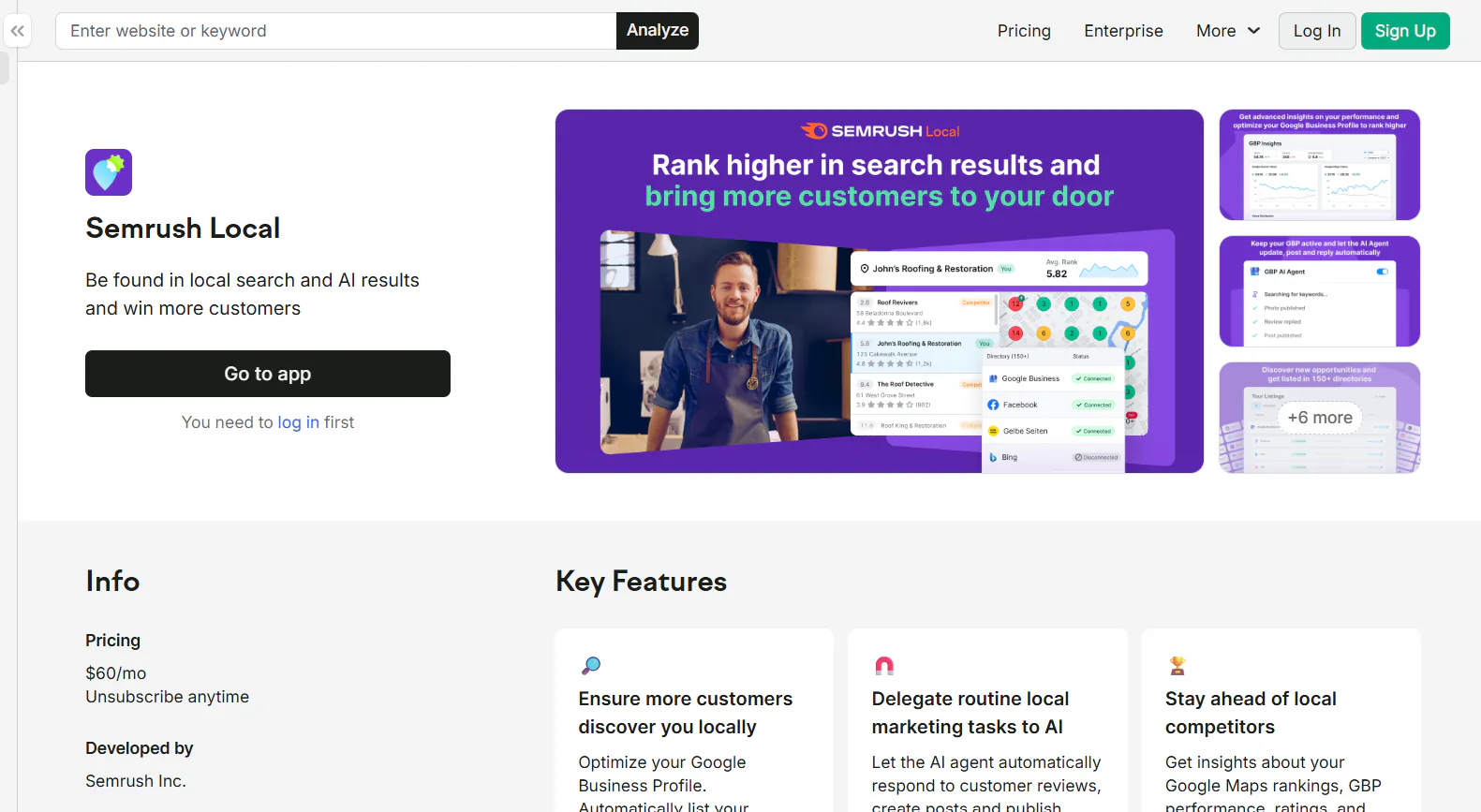
Semrush Local fits teams that want listings management beside Google Business Profile work, review monitoring, and local rank tracking. Its Local Pro plan costs $60 per month for each location and includes listing distribution across 70+ directories, duplicate management, user suggestion monitoring, listing API access, review tools, and advanced GBP features.
The platform also includes geo-grid rank tracking, which can help a business see how its Google Maps visibility changes at different points in a city. Semrush offers a Local Base plan at $30 per location, but full Listing Management is listed under Local Pro. Businesses with 20 or more locations can ask for a customized Local Business offer.
Semrush Local suits marketers who want listing work tied closely to local rankings and GBP activity. Its per-location price can become expensive as the location count grows, so larger buyers should compare enterprise quotes.
Best for: SEO teams that want listings, GBP automation, review management, and map rank tracking in one local marketing toolkit.
5. Uberall
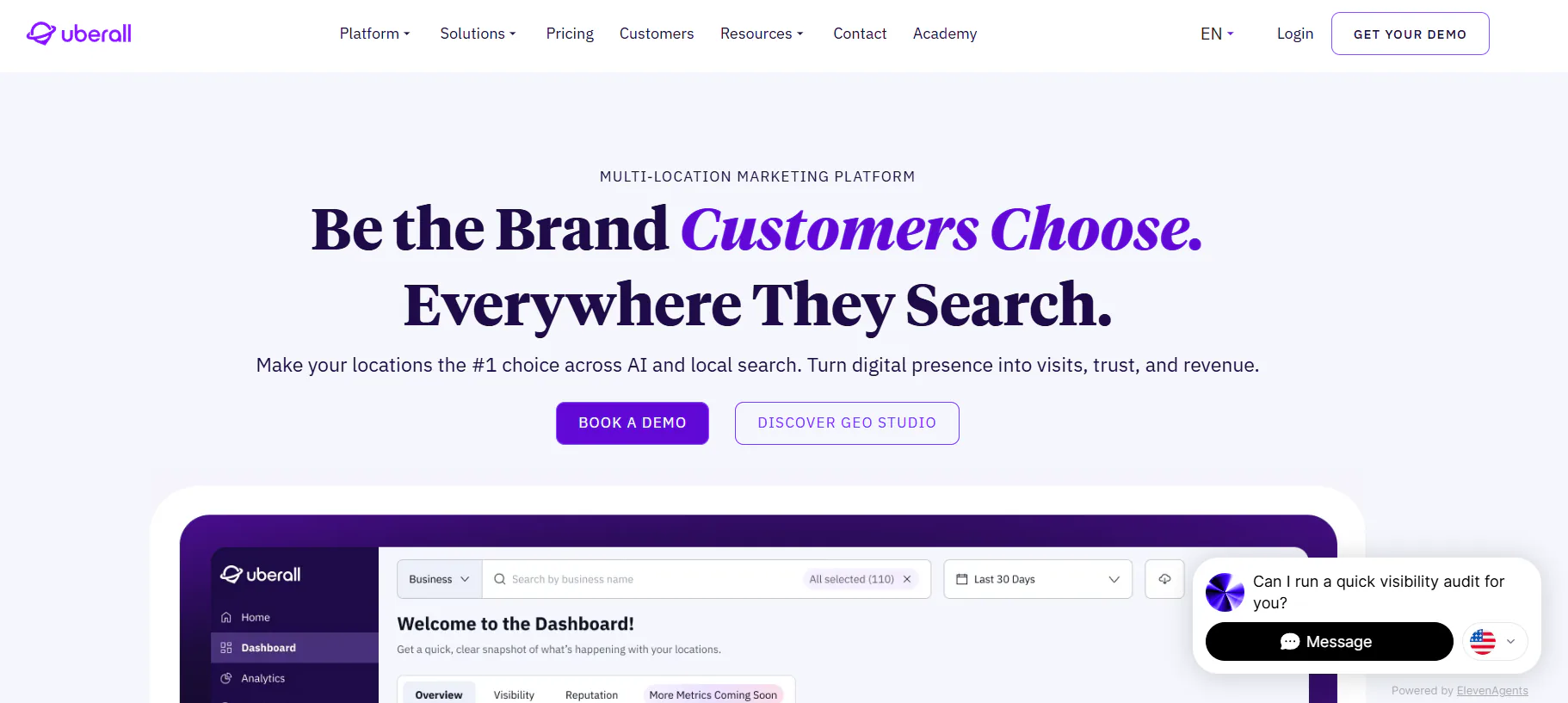
Uberall focuses on multi-location brands that need central control over store, branch, office, or service-location data. Its Listings product supports more than 150 directories, including Google, Apple Maps, Yelp, Bing, and other discovery services.
The platform is designed for repeated operational changes. Retailers can update holiday hours, contact details, services, or location attributes centrally instead of relying on each store to maintain separate profiles. Uberall also offers reviews, local social publishing, local pages, and analytics, giving larger marketing teams several location-related tools under one vendor.
Uberall uses package-based pricing and asks buyers to request a personalized quote rather than publishing one fixed listings rate. Its pricing pages group listings with optional products and add-ons, so the final cost depends on the package and business requirements.
Best for: Retail, restaurant, service, and franchise brands that manage many locations and need ongoing synchronization across a broad directory network.
6. Birdeye

Birdeye combines business listings with a wider reputation and customer experience platform. Its Listings AI tools monitor business profiles across major services including Google, Apple Maps, Yelp, and Facebook. The software can detect inconsistent information, deal with duplicate issues, compare listing data, and recommend profile updates from one system.
The platform is aimed at multi-location brands that need central controls and location-specific updates. Reviews, customer communication, social publishing, and other reputation functions can also be managed through the wider Birdeye product set.
Birdeye uses custom pricing in 2026. Its pricing explanation says costs vary based on the products selected, number of locations, and contract terms. The company also notes that enterprise customers commonly evaluate pricing on a per-location basis.
Best for: Multi-location businesses that want listings management closely connected with reviews, reputation, customer messaging, and broader customer experience work.
What Features Should You Compare Before Choosing a Tool?
Directory count should not be the only buying criterion. Start with the publishers your customers use, then compare how each platform handles updates and errors.
Publisher Coverage
Check whether the platform supports Google Business Profile, Apple Business Connect or Apple Maps, Bing, Facebook, Yelp, and the directories used in your industry or country.
Coverage varies by market. A platform advertising 100 or 200 directories does not necessarily support the same publishers in the US, UK, Canada, India, Australia, or other countries.
Continuous Synchronization
If your business changes hours, services, menus, or contact details frequently, look for ongoing syncing rather than one-time citation creation.
Continuous synchronization is more practical for chains and franchises. One-time citation work can be enough for a stable single-location business.
Duplicate Suppression and Edit Protection
Duplicate profiles can create conflicting phone numbers, addresses, and hours. Look for software that identifies duplicates and gives your team a clear process for correcting or suppressing them.
For Google Business Profiles, controls around suggested edits are also worth checking. Unauthorized or incorrect changes can create problems when hundreds of profiles are managed by a small central team.
Bulk Location Updates
A business with 100 stores should not need 100 separate editing sessions to change holiday hours.
Bulk editing, CSV imports, APIs, location groups, and approval workflows become more useful as the location count increases.
Reviews and Local SEO Reporting
Listings rarely operate alone. Reviews, Google Maps visibility, profile completeness, calls, website clicks, and direction requests are often managed by the same marketing team.
A combined platform can simplify reporting. A focused listings product may cost less when you already have separate review and rank-tracking software.
How Should You Choose Local Listings Management Software?
Choose based on how often your data changes, how many locations you manage, and whether listings are handled alone or as part of a broader local marketing program.
For a small business with one or two locations, BrightLocal can work well when the main need is citation building or cleanup without an ongoing synchronization fee.
For an SEO team that wants local rank tracking and GBP tools, Semrush Local offers a clear package with listings, review management, and geo-grid tracking.
For an agency serving many local clients, Synup is designed around client accounts, white-label options, location limits, reviews, and reseller-style workflows.
For a large enterprise with hundreds or thousands of locations, Yext and Uberall are built around broad distribution, central location data, and large-scale updates.
For a multi-location brand that also treats reviews and customer communication as part of the same program, Birdeye brings those functions into one platform.
The lowest monthly price is not always the lowest total cost. Large networks should compare software cost with the staff time required for manual updates.
Practical Examples
Example 1: A Dental Group With 12 Clinics
The group needs accurate hours, practitioner information, phone numbers, reviews, and Google Maps visibility.
Semrush Local may fit if the marketing team wants geo-grid tracking. Synup could suit an agency managing the clinics on the group's behalf. Birdeye may be worth comparing if review generation and patient feedback are part of the same project.
Example 2: A Restaurant Chain With 300 Locations
Holiday hours, menu links, delivery options, categories, and location openings can change often.
Yext or Uberall may be better suited to this type of large-scale data operation because both focus on broad publisher distribution and multi-location controls.
Example 3: A Local Plumber With One Office
The business may only need its main citations cleaned up and corrected.
BrightLocal's pay-as-you-go Citation Builder can be more practical than paying every month for a large synchronization network.
Frequently Asked Questions
What is the best local listings management software in 2026?
There is no single best platform for every business. Synup is a strong fit for agencies, Yext and Uberall suit large multi-location brands, BrightLocal works well for pay-as-you-go citation projects, Semrush Local suits SEO teams, and Birdeye fits businesses that want listings connected with reputation management.
How much does local listings management software cost?
Pricing ranges from per-citation fees to monthly per-location subscriptions and custom enterprise contracts.
BrightLocal starts at $3.20 per manual citation, with lower bulk-credit pricing. Semrush Local Pro is $60 per location each month. Synup OS starts at $79 per month when billed annually, while its Listings Pro add-on is $35 per location per month. Yext, Uberall, and Birdeye use package or custom pricing.
Do local listings still matter for SEO in 2026?
Yes. Accurate business information still affects how easily search engines, map services, directories, and AI-driven search systems can identify a location and present it to users.
BrightLocal's research found business listing sites appearing frequently in local-intent search results. Yext's 2026 research examined more than 155 million location-grounded AI citations and found repeated use of sources that contain structured location information.
Can I manage listings without paid software?
Yes, especially for one location. Google Business Profile and several other major platforms allow businesses to claim and edit profiles directly.
The difficulty comes when the same information must be maintained across many publishers or many locations. Paid software reduces repetitive work and gives teams central reporting and controls.
What business information should remain consistent across listings?
Start with the business name, address, phone number, website, opening hours, primary category, services, and location status.
Depending on the business, you may also need appointment links, menus, accessibility information, photos, service areas, insurance details, or special holiday hours.
Is local listings software worth paying for a single location?
It depends on how often your information changes. A stable single-location business may be able to manage Google, Apple Maps, Bing, Yelp, and a small set of directories manually or use a pay-as-you-go citation service.
A subscription becomes easier to justify when the business needs frequent updates, review management, duplicate monitoring, local rank tracking, or reporting.
What is the difference between citation building and listings management?
Citation building usually focuses on creating or correcting business mentions on directory sites. It can be done as a one-time project.
Listings management usually involves continued control of those profiles. The software monitors information, pushes updates, handles duplicates, and keeps connected publishers synchronized when business data changes.
Conclusion
The best local listings management software depends on the size of your location network and the amount of control you need. Synup is well suited to agencies and managed client portfolios. Yext and Uberall target larger multi-location operations. BrightLocal offers a flexible route for citation projects. Semrush Local connects listings with local SEO tracking, while Birdeye combines listings with reputation and customer communication.
Before choosing, compare the publishers covered in your market, update frequency, duplicate handling, review tools, reporting, bulk editing, and the real cost at your location count. A trial or vendor demo using your own locations will usually tell you more than a feature checklist alone.